Huawei Smart Dongle WLAN-FE vs 4G — Which Communication Module to Use

Choose between Smart Dongle-WLAN-FE and Smart Dongle-4G for your Huawei SUN2000 inverter. Signal thresholds, data usage, range limits and the real-world rule that decides.
Every Huawei SUN2000 residential inverter ships ready for a Smart Dongle communication module — either Smart Dongle-WLAN-FE (Wi-Fi plus Fast Ethernet) or Smart Dongle-4G (cellular). They plug into the same USB-A communication port on the inverter and both connect the system to the FusionSolar cloud. The choice between them looks simple but it is a common source of "why is my system offline" tickets a year after install. This guide breaks down when WLAN-FE wins, when 4G is the only sensible option, and the signal-strength threshold that actually predicts whether either will stay online.
Products mentioned in this article
Huawei Centralized Data Logger SmartLogger3000A

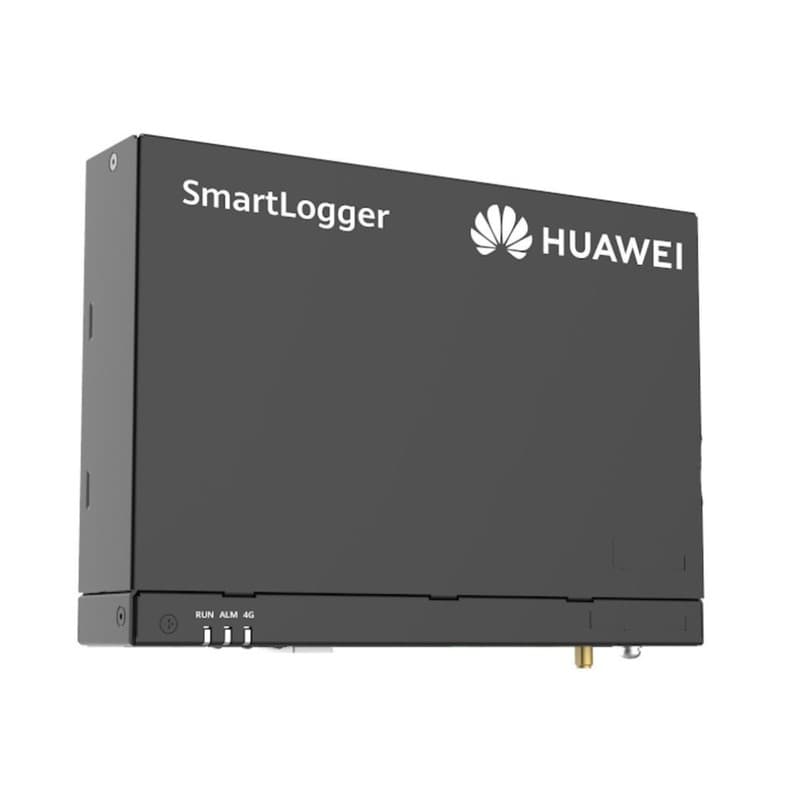
- Max Inverters Supported
- 80
- WAN Port
- 10/100/1000 Mbps
- LAN Port
- 10/100/1000 Mbps
Price incl. VATAED 1,200
The Two SKUs in One Paragraph
The Smart Dongle-WLAN-FE is a USB stick with 2.4 GHz Wi-Fi (802.11b/g/n, 2.412-2.484 GHz) and a 10/100M Ethernet RJ45 port. It is the default residential choice, included with most SUN2000-L1 inverter packages, and carries a 2-year warranty. The Smart Dongle-4G is the same form factor but with an embedded LTE-FDD / LTE-TDD / GSM modem (LTE-FDD B1/B3/B7/B8/B20/B28, LTE-TDD B38/B40/B41, GSM 850/900/1800/1900 MHz) and a Mini-SIM tray (15 × 25 mm). Same FusionSolar integration on the cloud side — the difference is the last-mile transport.
Decision Rule — Three Questions
Before you order, run the install location through three checks:
- Is there a stable 2.4 GHz Wi-Fi signal at the inverter location at -70 dBm or better? If yes, WLAN-FE is the cheaper choice.
- Is there an Ethernet patch available within 10 m of the inverter? If yes, WLAN-FE with the FE (Fast Ethernet) port is the most reliable choice — no Wi-Fi flakiness, no 4G data costs.
- Is the install a remote farm pump, off-grid villa, or commercial rooftop with no IT infrastructure? If yes, Smart Dongle-4G is the only practical option.
Why -70 dBm Matters
The Smart Dongle-WLAN-FE radio is comparable to a mid-range smartphone Wi-Fi. The published recommended minimum signal strength is -70 dBm at the inverter location, with the router operating on 2.4 GHz (it does not support 5 GHz). Below -70 dBm you get the classic intermittent-offline behaviour: the dongle associates, drops, reassociates, and the inverter shows online for two hours then offline for one. The fix is almost never "reset the dongle" — it is to move the router, add a 2.4 GHz repeater, or switch to Ethernet via the same dongle's RJ45 port.
The cheapest reliable upgrade for a marginal Wi-Fi install is to abandon Wi-Fi entirely and use the Smart Dongle-WLAN-FE's Ethernet port with a single Cat6 patch from the inverter to the customer's router. A 30 m Cat6 run is rated at 1 Gbps and costs less than a 4G data plan over five years.
When Smart Dongle-4G is the Right Answer
- Agricultural pumps and remote off-grid sites: no Wi-Fi exists, the nearest building is 200 m away, the cellular modem is the only way to get telemetry.
- Commercial rooftops where the customer's IT team will not whitelist the inverter: 4G bypasses the corporate firewall entirely. The EPC monitors the asset independently of the building network.
- Long-term lease assets: when you do not own the building and want to retain monitoring even if the tenant changes their Wi-Fi password.
- Sites where the Wi-Fi router is on the opposite side of a thick concrete wall from the inverter: two interior walls usually push you below -75 dBm even at short range.
4G Signal Strength — What You Actually Need
For Smart Dongle-4G to maintain stable cloud connectivity, the modem needs RSRP of -100 dBm or better on the inverter's installed face, on the operator's primary LTE band. Use any Android phone with the LTE info screen (or *#0011# on Samsung, *#*#4636#*#* on most others) to walk the inverter location before you commit to 4G. If you only get -110 dBm you are in for trouble — buy a 4G external antenna and route it to a clearer line of sight to the local tower. The Smart Dongle-4G ships with an internal antenna only; external antenna options exist via SMA connector models in some regions, so verify availability with us before promising the customer.
Data Volume — How Much Cellular Data Does FusionSolar Use
A SUN2000 residential inverter on FusionSolar default reporting (5-minute interval) uses approximately 30 MB per month of cellular data per inverter. With one inverter plus a battery and a smart meter, expect 50-70 MB per month per site. For a 5-site portfolio that is under 500 MB total per month — a 1 GB monthly SIM plan is plenty. Beware: enabling 1-minute high-resolution data (used for fault investigation) drives that to 200+ MB per site per month and can blow past low-tier SIM plans. Switch back to 5-minute interval once the investigation is done.
Installation Notes
- Insert the dongle into the inverter's USB-A communication port (lower right on most SUN2000-L1 models) and tighten the locking screw. Loose dongles drop connection on thermal cycling.
- For WLAN-FE, configure via the FusionSolar Installer app — connect to the inverter over Bluetooth, choose Wi-Fi mode or FE mode, enter SSID/password if Wi-Fi, then commit.
- For 4G, insert the Mini-SIM (cut down from a regular SIM is fine) with the chip facing the dongle's contact face. The modem auto-selects the operator from the SIM home network.
- The inverter ID light shows: solid green = cloud connected, blinking green = local network only (waiting for FusionSolar), red = no network.
- Power-cycle the inverter once after configuration — the dongle is initialised at boot, and saving config without a reboot occasionally results in stuck states.
When to Use Both (Belt-and-Braces)
For high-value commercial sites with strict SLA reporting, some EPCs deploy a SmartLogger3000 with the 4G dongle as primary uplink and the Ethernet as failover (or vice versa). The SmartLogger3000A handles this natively — both interfaces stay configured, and the SmartLogger picks whichever has working internet. A residential SUN2000-L1 with a single USB port cannot do this; you choose one transport per inverter.
Power-On Sequence — The Order That Matters
A surprising number of "dongle dead on arrival" tickets come from the wrong power-on sequence. The dongle is initialised when the inverter boots, so changes made after the boot cycle do not always take effect. The correct order is: (1) inverter switched off via DC and AC isolators, (2) insert the Smart Dongle and tighten the locking screw, (3) energise the inverter AC side first, (4) wait 30 seconds for the dongle LED to stabilise, (5) open FusionSolar Installer and start Bluetooth pairing. If you energise the inverter without the dongle and hot-plug it later, some SUN2000-L1 firmware will not enumerate USB until the next reboot. The fix is a power-cycle, not a dongle swap. The Bluetooth pairing window is open for five minutes after boot — power-cycle to reopen it if the timer expires.
Troubleshooting a Dongle That Will Not Connect
When the inverter ID light shows red or blinking green more than ten minutes after boot, work through the same checklist in order — never start by replacing the dongle, because the same fault often re-appears on the new unit.
- Step 1 — verify the locking screw is tight. A loose dongle is a common cause of intermittent offline behaviour. Thermal cycling on a rooftop inverter walks a finger-tight dongle out of the port over six months.
- Step 2 — confirm the LED pattern. Solid green is cloud-connected. Slow blinking green means local network only — the dongle has Wi-Fi or LTE but cannot reach FusionSolar (usually a DNS or firewall block on the customer network, not a dongle fault). Fast blinking green means the dongle is associating but not yet authenticated. Red means no carrier at all.
- Step 3 — re-pair via FusionSolar Installer Bluetooth. If the LED reports local-only, open the app, reconnect to the inverter via Bluetooth, and check the dongle's Wi-Fi or LTE diagnostics page. The reported RSSI and IP address tell you which leg of the connection has failed.
- Step 4 — check error codes. The FusionSolar Installer surfaces dongle-specific codes. SDC-001 usually means SSID not found (Wi-Fi has changed or 5 GHz-only). SDC-003 means DHCP failed (router out of leases, or VLAN misconfigured). 4G-002 means SIM not detected (PIN locked or seated upside down). 4G-005 means modem registered but data session refused (APN wrong or SIM not provisioned for data).
- Step 5 — only then consider replacement. If the dongle does not advertise Bluetooth, will not respond to power, and the LED stays off after a clean power-cycle, raise an RMA with us within the 2-year warranty.
Wi-Fi Roaming and SSID Change Handling
The Smart Dongle-WLAN-FE stores one SSID and one PSK. Change either at the router — customer reset, ISP switch, or cosmetic rename — and the dongle goes offline until somebody reopens FusionSolar Installer and rewrites credentials. No zero-touch recovery, no fallback SSID. A common reason a system "stopped reporting six months after install" — the customer changed Wi-Fi and never told anybody. Mitigation: tell the customer at handover that any router change needs a five-minute revisit, and write the SSID/PSK on a sticker inside the inverter cabinet.
WLAN-FE Ethernet Port Detail
The RJ45 socket on the Smart Dongle-WLAN-FE is a standard 10/100M Ethernet port with auto-MDIX, so a straight-through Cat5e or Cat6 patch works regardless of crossover. It does not accept Power-over-Ethernet — the dongle is powered from the inverter's USB bus, and feeding 48 V PoE into the port can damage it. If the upstream switch port is PoE-enabled, disable PoE on that port specifically, or use a PoE blocker inline.
By default the dongle takes a DHCP lease from the customer's router. For sites where the IT team requires a static IP — typical on commercial rooftops with managed VLANs — the FusionSolar Installer app exposes IP/mask/gateway/DNS fields under the FE network settings page. VLAN tagging is not supported on the dongle itself; if the inverter must live on a tagged VLAN, configure the upstream switch port as an access port for that VLAN and feed an untagged frame to the dongle.
Security Considerations
The dongle initiates outbound TLS connections to the FusionSolar regional cloud endpoint (intl.fusionsolar.huawei.com) on TCP 443 and 27250. No inbound ports need to be opened — the dongle never accepts incoming connections. For corporate environments that whitelist destinations, the FQDNs are documented in the FusionSolar deployment guide. DNS must resolve for those FQDNs; the most common silent failure is that the inverter VLAN cannot reach the customer's DNS server, so even with 443 egress allowed, the hostname does not resolve. Point the dongle at 8.8.8.8 via static DNS or whitelist its IP through the corporate DNS.
Cellular Operator Selection in Multi-SIM Markets
In KSA the choice between STC, Mobily and Zain matters because rooftop coverage is uneven outside Riyadh, Jeddah and Dammam. STC generally has the best rural Band 8 (900 MHz) reach, useful for farm pumps two hours outside the city. Mobily and Zain are fine in metros. Walk the site before committing to a SIM and keep one spare from a different operator in the van.
In UAE both Etisalat and du give workable rooftop coverage; the deciding factor is M2M plan price and existing corporate accounts. Use a static APN where the operator offers one. For multi-country EPC portfolios, a roaming M2M SIM (1NCE, Things Mobile, Onomondo) ships one SKU across Gulf, North Africa and Europe without juggling per-country SIMs.
Replacement Workflow Without Re-Commissioning
When a dongle fails and you swap it, the plant ID and FusionSolar registration stay with the inverter — they live on the comms board, not the dongle. The replacement inherits the plant binding as soon as it reaches the cloud. No re-commissioning, no rebuilding the device tree. You do need to re-enter the SSID/PSK (WLAN-FE) or confirm the APN (4G) via FusionSolar Installer. Budget 15 minutes for a like-for-like swap. Switching between WLAN-FE and 4G is handled automatically — same plant ID, new transport.
Comparison to Third-Party LTE Routers
Some installers ask why not skip the Smart Dongle-4G entirely and put a generic LTE router (Teltonika, MikroTik, Huawei B series) on the roof, then run WLAN-FE dongles behind it. It works, and on multi-inverter commercial sites with three or more inverters it is sometimes cheaper — one LTE router and one SIM serve every inverter instead of one Smart Dongle-4G per unit. For a single residential inverter it is more expensive, more cables, more failure points. Match the architecture to asset count: single-inverter residential goes Smart Dongle-4G, three-plus-inverter commercial goes generic LTE router plus WLAN-FE dongles.
A dongle connects a system that is already sized; for a shop, the shop system with evening backup shows the inverter it would sit on, the sizing calculator sizes your own, and the comparison page reads any two catalogue items side by side.
Frequently Asked Questions
Should I buy Smart Dongle-WLAN-FE or Smart Dongle-4G?
Does Huawei Smart Dongle-WLAN-FE support 5 GHz Wi-Fi?
What signal strength does the Smart Dongle-WLAN-FE need?
How much cellular data does Smart Dongle-4G consume?
Can I use Smart Dongle-4G with any SIM?
What 4G signal strength does the Smart Dongle-4G need?
Can I run both WLAN-FE and 4G for redundancy on the same inverter?
- #huawei smart dongle wlan vs 4g
- #Smart Dongle-WLAN-FE
- #Smart Dongle-4G
- #Huawei SUN2000 communication
- #FusionSolar connectivity
- #solar 4G monitoring
- #solar Wi-Fi monitoring
- #Huawei inverter dongle
Ready to order?
Every unit in the catalogue carries its price — add it to the cart and order online, then collect it from our store in Dubai or Riyadh.


