Huawei SmartLogger 3000 Commissioning — A and B Setup Guide

Step-by-step Huawei SmartLogger3000A and 3000B commissioning. Port wiring, RS485 daisy-chain, FusionSolar onboarding, and the gotchas that send techs back to site.
The Huawei SmartLogger3000A and SmartLogger3000B are the data-acquisition brains of a commercial or utility-scale SUN2000 plant. They aggregate Modbus from up to 80 (A) or 150 (B) inverters, talk to environmental sensors, push the consolidated data stream up to FusionSolar over Ethernet or 4G, and serve as the on-site Modbus TCP gateway for a customer SCADA. This guide walks a commissioning engineer through the exact wiring and FusionSolar onboarding workflow that gets a plant from "boxes on a rack" to "live in the cloud" in one site visit.
Products mentioned in this article
Huawei Centralized Data Logger SmartLogger3000A

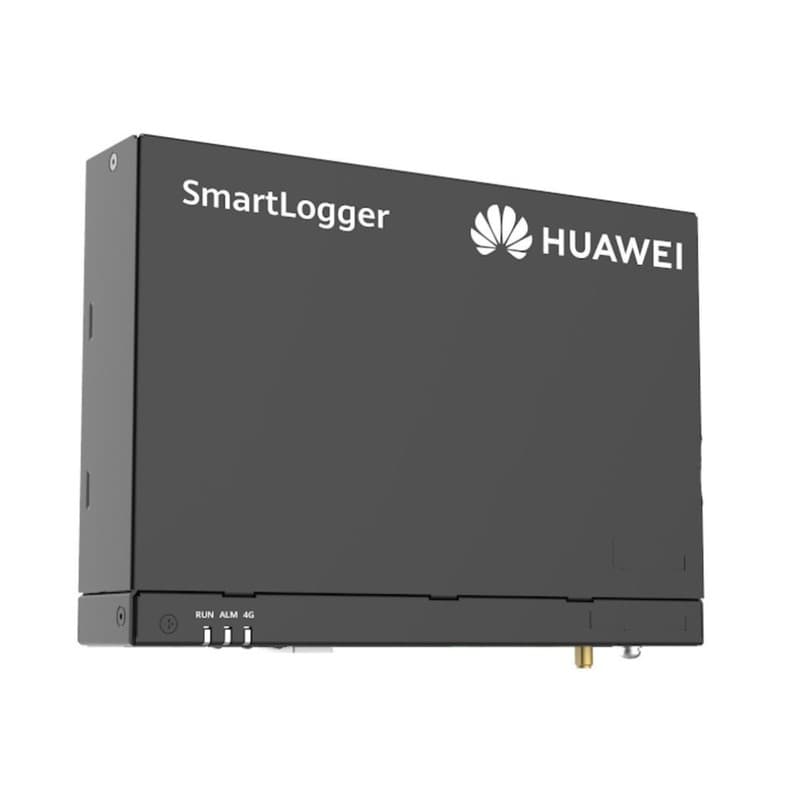
- Max Inverters Supported
- 80
- WAN Port
- 10/100/1000 Mbps
- LAN Port
- 10/100/1000 Mbps
Price incl. VATAED 1,200
Huawei Centralized Data Logger with Extended I/O SmartLogger3000B
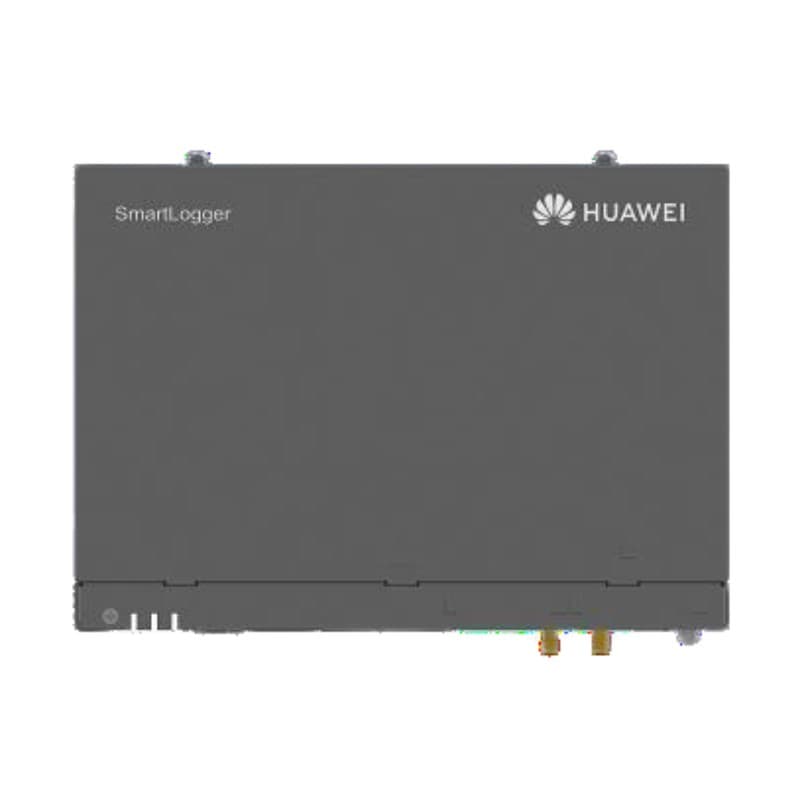
- Max Inverters Supported
- 150
- Fiber Optic
- Supported
- WAN/LAN Ports
- 10/100/1000 Mbps
Price incl. VATAED 1,200
SmartLogger3000A vs SmartLogger3000B — Pick the Right One
The two SKUs look almost identical and share the same FusionSolar config workflow, but the I/O matters for plant sizing.
- SmartLogger3000A: 80 inverters max, 1 x WAN (10/100/1000 Mbps), 1 x LAN (10/100/1000 Mbps), 3 x RS485, 4 x DI, 2 x DO, USB host. Targets C&I plants up to ~5 MW.
- SmartLogger3000B: 150 inverters max, fibre-optic interface supported, same Gigabit Ethernet, extended I/O for SCADA-rich utility plants. Targets plants up to ~10 MW or sites that need fibre between inverter clusters.
If you are not sure, count inverters and ask whether the customer needs fibre. Below 80 inverters with copper Modbus — 3000A. Above 80 or any fibre requirement — 3000B.
What You Need On Site Before You Start
- SmartLogger3000A or 3000B, DIN-rail mounted in the comms cabinet.
- 24 V DC supply (the SmartLogger ships with no external PSU — use a 24 V DIN-rail PSU rated 20 W minimum).
- Cat5e/Cat6 patch cable to the site router or to the 4G gateway.
- Shielded twisted-pair (STP) for RS485 between SmartLogger and inverters — Belden 9841 or equivalent, single pair, twisted, foil-shielded, max 1000 m per daisy chain at 9600/19200 baud.
- Earth-bonding wire for the SmartLogger PE terminal — bonded to the cabinet earth bar.
- Customer's plant ID and the FusionSolar tenant credentials (the EPC's account, not the end customer's).
- Laptop with WebUI access (recent Chrome or Edge) and a known-good Ethernet cable.
Step 1 — Physical Mount and Power
The SmartLogger3000 is DIN-rail mounted, typically in the same cabinet as the AC combiner, with at least 30 mm clearance above and below for ventilation. Bond the PE terminal to cabinet earth before anything else. Connect the 24 V DC supply to the V+ and V- terminals on the left of the unit. Verify the SYS LED blinks green within 30 seconds — if it stays red, the supply is undersized or polarity is wrong.
Step 2 — Wire the RS485 Daisy Chain to Inverters
The 3000A has three independent RS485 ports (COM1, COM2, COM3); 3000B adds a fourth. Each port supports a daisy chain of up to 30 SUN2000 inverters. Plan your topology before you wire:
- Group inverters geographically — COM1 for the south block, COM2 for the north, etc.
- Daisy-chain with shielded twisted pair: connect RS485A_IN -> first inverter RS485+, RS485B_IN -> first inverter RS485-, then jumper to inverter 2, and so on.
- Terminate the far end of each chain with a 120-ohm resistor across A and B if the chain exceeds 100 m or runs above 19200 baud.
- Bond the cable shield at the SmartLogger end only — never both ends, or you create a ground loop.
- Set a unique Modbus address (1-247) on each inverter via the FusionSolar Installer app before wiring it into the chain.
Step 3 — Network Wiring
The WAN port goes to the site router or 4G gateway and pulls a DHCP address by default. The LAN port can serve a customer SCADA system as Modbus TCP slave. Wire:
- WAN -> site router (the router needs outbound HTTPS on TCP 443 to intl.fusionsolar.huawei.com).
- LAN -> customer SCADA switch (optional, only if there is a third-party EMS or DCS).
- Fibre transceivers (3000B only) -> remote inverter clusters via SFP modules.
Step 4 — First-Time WebUI Login
Plug your laptop into a free LAN port (or use the WAN port temporarily with a crossover). The default IP is 192.168.0.10 on the LAN side. Open https://192.168.0.10 in Chrome — accept the self-signed cert, then log in as Special User with the default password printed on the SmartLogger's nameplate. The WebUI will immediately force a password change. Pick something the customer's O&M team will accept — losing this password requires a factory reset and full re-commissioning.
Step 5 — Add Inverters and Verify Modbus
Navigate to Maintenance -> Device Mgmt -> Auto Search. The SmartLogger polls each RS485 port at 9600 and 19200 baud and lists every responding device with its Modbus address and SN. Cross-check against your site list:
- All inverters listed: proceed.
- Some inverters missing: check polarity on the missing devices (RS485+ to A, RS485- to B), and confirm the Modbus address is set and unique on the FusionSolar Installer app.
- Garbled / duplicate addresses: two inverters share an address — re-address one and re-scan.
Once devices are listed, click Confirm to add them. Confirm baud rate, parity, stop bits across the chain — defaults are 9600 8N1.
Step 6 — Time, Plant ID, and Grid Code
- Time sync: Settings -> Date & Time -> enable NTP. Point at pool.ntp.org or the customer's internal NTP if there is no internet. Wrong time will misalign every chart in FusionSolar.
- Plant ID: Enter the plant name and capacity. This must match the plant the EPC creates in FusionSolar.
- Grid code: Set the inverter grid code to match the local utility (DEWA/SEC/SEWA/NEPRA/equivalent). This is critical — Huawei ships with a generic IEC code that will fail commissioning audits in most Gulf jurisdictions.
Step 7 — Onboard to FusionSolar
This is the step that most often goes wrong because techs guess the URL.
- Open Settings -> FusionSolar -> Management System. Set the Server URL to
intl.fusionsolar.huawei.com(do NOT prefix https://, the SmartLogger adds it). Port 27250. SSL on. - Enter the Plant ID issued by the EPC in the FusionSolar Cloud Console.
- Click Connect. The status LED should flash, then turn solid green within 60 seconds.
- If it fails: verify the site router permits outbound TCP 27250 (some corporate firewalls block it). Verify the SmartLogger has a DHCP-assigned IP. Verify the plant has been pre-created in FusionSolar — the SmartLogger will not register against a non-existent plant.
Step 8 — Configure Environmental Sensors and Meters
Add the DTSU666-H smart power sensor (CT-clamp three-phase) on the LV side for export metering, plus a pyranometer and module-temperature sensor on the array for performance ratio calculation. All connect over RS485 — give each a unique Modbus address and add them via Auto Search the same way as the inverters.
Step 9 — Active and Reactive Power Control
For utility-interactive plants, the SmartLogger3000 enforces grid-side dispatch. Configure under Power Adjustment:
- Active power: Fixed value, or remote dispatch via Modbus TCP from the grid operator. For Gulf utilities supporting curtailment, configure the dispatch protocol per the connection agreement.
- Reactive power: cos φ, Q(U), or fixed kvar mode depending on grid code.
- Export limit: Set the maximum export to grid (kW). The SmartLogger3000 closed-loops this within ~3 seconds using the DTSU666-H measurement.
Step 10 — Verify in FusionSolar Cloud
Log into intl.fusionsolar.huawei.com. The plant should show online within 5 minutes of completing Step 7, and live inverter telemetry should populate within 15 minutes. Walk the customer's O&M lead through the Plant -> Devices -> Inverters view and the alarms tab before you leave site.
The Five Most Common Commissioning Faults
- SmartLogger offline in FusionSolar: Site router blocking TCP 27250 outbound. Get IT to whitelist.
- One RS485 chain shows zero inverters: Polarity reversed on the SmartLogger side, or shield bonded at both ends causing reflection.
- Inverters listed but all show "Disconnected": Wrong baud rate at the inverter — set via FusionSolar Installer app to match the SmartLogger.
- Plant ID rejected: Plant not created in FusionSolar Cloud yet, or you entered the inverter SN instead of the plant ID.
- Active power command not honoured: The Modbus TCP slave map is enabled but the grid operator is writing to the wrong register — share the SmartLogger3000 Modbus profile with the dispatch authority.
Firmware Update Procedure
SmartLogger3000 firmware updates land roughly twice a year and frequently fix Modbus map issues, FusionSolar handshake bugs, and grid-code library additions. Two paths exist — the local WebUI path for sites without internet, and the FusionSolar Cloud OTA path for fleets managed centrally.
- WebUI path: Download the signed firmware from the Huawei Solar partner portal, log in as Admin, and navigate to Maintenance -> Software Upgrade -> SmartLogger. Upload, click Upgrade, and wait — the unit reboots automatically. Do not power-cycle during the upgrade or you risk bricking the bootloader.
- Cloud OTA path: In FusionSolar Cloud, go to Maintenance -> Software Upgrade, select the plant and target firmware, schedule the window. The Cloud pushes over HTTPS through the same TCP 27250 tunnel, so no extra firewall rules are required. Schedule overnight — telemetry pauses for about three minutes.
- Inverter firmware: Push the matching SUN2000 inverter firmware through Devices -> Inverter. Always upgrade the SmartLogger first — the reverse order can leave it unable to parse new inverter registers.
Backing Up SmartLogger Configuration
If the SmartLogger fails in year three or four, the replacement unit ships factory-default. Without a backup, the engineer redoes everything from Step 1. Insert a FAT32 USB stick, go to Maintenance -> Device Mgmt -> Export All Files, and the SmartLogger writes the encrypted bundle within a minute. Label with plant name and date and leave in the O&M binder. To restore, insert the USB on the replacement unit, log in as Admin, and use Import All Files. The unit reboots and comes back with the previous Modbus list, RS485 baud, plant ID, and dispatch settings. FusionSolar Cloud also retains a copy from the last sync.
Integrating with the SmartLogger3000 Modbus Map
Customer SCADA, grid-operator dispatch consoles, and third-party EMS platforms all read the SmartLogger3000 over Modbus TCP on port 502. The Modbus map is publicly published by Huawei and grouped into clear address ranges:
- Read-only telemetry block (around 30001-30099): Plant-level totals — active power, reactive power, today's yield, total yield, grid frequency, ambient temperature. Customer dashboards typically poll every 5 to 15 seconds.
- Per-inverter telemetry: Each inverter occupies a contiguous block addressed by slave ID, exposing DC voltage and current per MPPT string, AC current per phase, internal temperature, alarm bitfields, and lifetime energy.
- Control writes (around 40000+ holding registers): Active power setpoint in kW, reactive power setpoint in kvar or cos phi, and export limit. The dispatch system writes these and the SmartLogger pushes the setpoint to every inverter on the RS485 chains.
- Meter and sensor block: DTSU666-H grid-side measurements, pyranometer irradiance in W/m2, module temperature, and ambient temperature live in a dedicated block.
Give the customer SCADA integrator the official Huawei SmartLogger3000 Modbus Interface Definition document rather than reverse-engineering from telemetry — register offsets shift between major firmware versions.
RS485 Cable Selection and Topology Anti-Patterns
Many of the "we can't see the inverters" callbacks trace back to cable choice or topology mistakes the EPC made before the SmartLogger ever powered up. Daisy chain only — never star; RS485 is a multidrop bus, and star topology from a central junction box causes reflections that corrupt every frame. Bond the shield at the SmartLogger end only, never both ends, or you create a 50/60 Hz ground loop. Baud rate trades against length: 9600 gives the full 1000 m budget, 19200 is safe to about 700 m on a clean chain. Stick to genuine Belden 9841 or Alpha Wire 6411 — generic local "RS485 cable" rarely meets the 120-ohm characteristic impedance and produces intermittent dropouts after thermal soak. Terminate with a 120-ohm resistor across A and B at the far end of each chain only, never in the middle.
Weather Station Wiring for Performance Ratio
If the customer contract obligates a PR report, the SmartLogger needs three weather inputs: plane-of-array irradiance from a pyranometer in the array tilt and azimuth, module back-of-panel temperature from a PT100 or PT1000 on a representative module, and ambient air temperature from a 2 m mast clear of the array. All three are RS485 sensors with unique Modbus addresses on a spare COM port. Once visible in FusionSolar, the Cloud computes daily and monthly PR automatically.
Site Acceptance Testing (SAT) Checklist
Before the EPC hands the plant over, walk this list with the customer's representative — it covers everything the next person on site will care about:
- All inverters online in FusionSolar with a green icon and current-day yield.
- All RS485 chains report zero CRC errors for a continuous 30-minute observation window.
- NTP sync verified — SmartLogger clock within 2 seconds of a known NTP reference.
- Grid code matches the connection agreement; screenshot the SmartLogger and one inverter settings page for the file.
- Active and reactive power setpoint commands tested live via Modbus TCP, then restored.
- Export limit honoured within 3 seconds when temporarily clamped below live generation.
- Configuration backup exported to USB and handed to the customer, labelled with date and plant name.
- Admin and Operator passwords handed over in a sealed envelope; Special User credentials retained by the EPC.
- FusionSolar plant access granted to the customer's O&M lead with at least Operator role.
The A and B versions are set side by side on the SmartLogger3000A vs 3000B comparison; a logger belongs on sites like the office system with overnight backup, and the sizing calculator sizes the inverters it will watch.
Frequently Asked Questions
What is the difference between SmartLogger3000A and SmartLogger3000B?
How do I onboard a SmartLogger3000 to FusionSolar?
How many inverters can I daisy-chain on one RS485 port?
What is the default IP and password for SmartLogger3000?
What grid code should I set during commissioning?
Why does the SmartLogger3000 show offline in FusionSolar after commissioning?
Can SmartLogger3000 export Modbus TCP for a customer SCADA?
- #huawei smartlogger 3000 commissioning
- #SmartLogger3000A
- #SmartLogger3000B
- #FusionSolar onboarding
- #Huawei SUN2000 commissioning
- #RS485 daisy chain inverter
- #Modbus TCP solar
- #C&I solar plant setup
Ready to order?
Every unit in the catalogue carries its price — add it to the cart and order online, then collect it from our store in Dubai or Riyadh.


